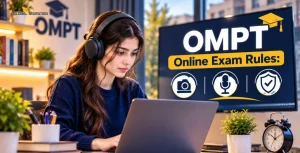
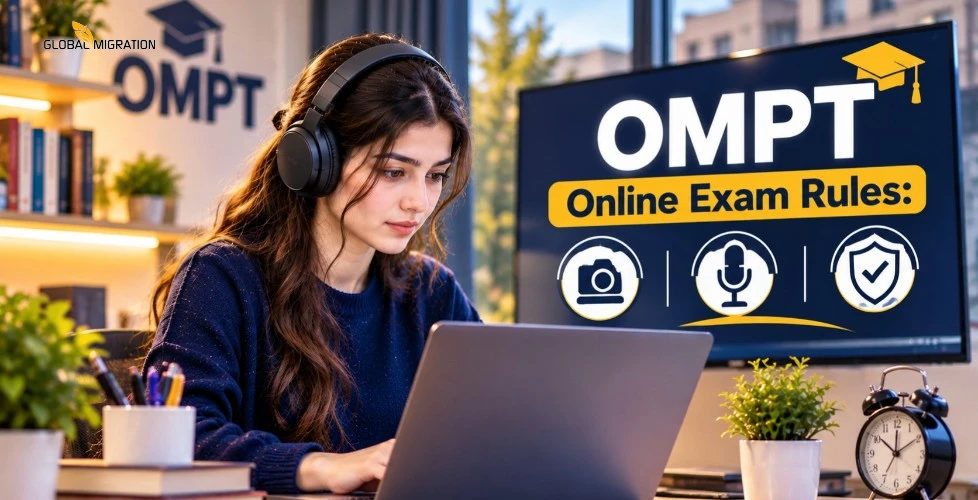
Complete applicant guideOMPT Online Exam RulesCamera, Microphone and Proctoring Requirements
The OMPT is taken from your own desk, yet it is never taken unsupervised: from check-in to log-out, a ProctorU proctor watches your webcam, listens through your microphone and records your screen. Knowing the OMPT online exam rules before test day matters, because every incident is reported to the OMPT Examination Board and each attempt has to be purchased separately.
This guide explains exactly what the proctor checks: the camera view, the microphone, the room, the allowed items and what to do if your connection fails. It also walks through each section of the ProctorU Exam Rule Check screen that appears before you begin. The OMPT test for Lithuania admission is the step where the rules are strictest, which is why they deserve a closer look.
What Is the OMPT, and Why Is It Proctored?
The OMPT (Online Mathematics Proficiency Test) is a mathematics exam that applicants take at home, on their own computer, while a remote proctor watches through the webcam. It comes in seven versions, OMPT-A to OMPT-G, and lasts between 120 and 180 minutes depending on the version. Applicants who plan to study in Lithuania may meet it, because universities there, including Vilnius Gediminas Technical University, use it as part of their admission process, and whether your programme requires it depends on the university. The Lithuanian universities with OMPT test do not all apply it to every programme, and some do not ask for it at all. Confirm your own programme before you register.
Because the test is taken at home, supervision replaces the exam hall. The proctoring service is ProctorU, which verifies your identity, records your webcam and screen, and reports any incident to the OMPT Examination Board. Every one of the OMPT online exam rules below exists to make that supervision possible.
OMPT Online Exam Rules at a Glance
| Item | Rule |
|---|---|
| Identity | Government-issued photo ID in the Latin alphabet: national ID, passport, resident permit or driving licence |
| Room | Alone, quiet, closed and well-lit, with the door visible behind you |
| Camera | Must show your face, hands, scrap paper and mouse use at all times |
| Microphone and speakers | On and fully working throughout the exam |
| Calculator | Online OMPT calculator only; your own calculator is not allowed |
| Paper | 3 A4 sheets of scrap paper, 3 pencils and 1 eraser; pens are not permitted |
| Breaks | None, including toilet breaks |
| Phone | Behind you, visible and out of reach |
| Device | Computer or laptop with working webcam, microphone and speakers, kept charged |
| Internet | Fast, stable connection; Wi-Fi is discouraged and mobile hotspots are not allowed |
| Browser | Fullscreen, no switching applications, no copying text or images |
Sources: the official OMPT test rules and test day pages, and the ProctorU Exam Rule Check screen, checked on 24 November 2026. Rules can change, so confirm them on the OMPT platform before your test.
Camera Requirements: What the Proctor Must Be Able to See
Your webcam must clearly show your face, your hands, your scrap paper and your mouse use at all times. Angle the laptop so that it also shows the area where you take notes, and make sure the door is visible behind you in the frame.
The room must be private. Windows, glass doors and walls must be covered, the desk must be completely clear except for permitted items, and there must be no extra chairs or unauthorized materials. Remove any head covering that is not religious. Your webcam and screen are recorded for the whole test.
Microphone and Speaker Rules
Your camera, microphone and speakers must remain on and fully functional throughout the exam. The proctor connects with you by voice and chat at the start, so test your audio beforehand. During the test you must not speak aloud, and the ProctorU guidelines ask you to stay quiet.
Headphones and watches are not allowed, so remove them and keep them out of reach. If you have a question during the test, you can type it in the chat box. The proctor can answer process questions, but cannot answer questions about the test content.
Run the equipment check and keep your charger plugged in
OMPT advises running a Test-It-Out equipment check in your ProctorU dashboard and keeping your laptop charged before and during the test. A flat battery or a silent microphone discovered at check-in turns a calm start into a stressful one, so do both at least a day before.
Hardware, Internet and Equipment Requirements
Use a computer or laptop with a working webcam, microphone and speakers, and keep it charged for the whole test. Your device must meet the ProctorU equipment requirements, and the Test-It-Out equipment check confirms this in advance. Disable your screensaver and prevent the computer from going to sleep, then close all third-party programs and unplug any secondary monitors.
A fast, stable internet connection is essential. Wi-Fi is allowed but discouraged, and mobile hotspots are not allowed, so arrange a reliable connection before test day. Take the test in full-screen mode.
Prepare your physical setup as well. Sit at a hard-surfaced desk or table, and have your permitted items, your photo ID and a reflective device such as a mirror or a mobile phone ready for the pre-test procedure. Memorize your OMPT login details, because you need them to start the test.
How ProctorU Proctoring Works, Step by Step
Log in 15 minutes before your appointment and follow “Go to ProctorU” in your Test info & access class. Automated steps ask for photos of yourself and your ID. A proctor then connects by voice and chat, confirms your identity, reviews the rules and asks you to show any permitted resources.
Connecting takes about 5 to 10 minutes, and that time is not deducted from your test time. ProctorU checks only for fraud and has no knowledge of the test content. It may or may not step in when a rule is broken, but it always reports incidents to the OMPT Examination Board.
The ProctorU Exam Rule Check Screen: What Each Section Means
Before the exam begins, ProctorU shows an Exam Rule Check screen with several sections. Here is what each one tells you.
Guidelines and Rules. The guidelines show four icons: stay seated, stay in frame, stay quiet and stay in a private room. The rules ask you to save and close all browser tabs before you start. You will not be allowed to copy text and images during the exam, your browser window stays in fullscreen mode, and you cannot switch applications.
Allowed and Other Resources. The allowed resources are an online calculator and multiple sheets of paper. The other resources section specifies the paper limit: up to 3 sheets of scratch paper, 3 pencils and one eraser.
Breaks and Accommodations. The screen states that no breaks are allowed during your exam, so prepare water and use the bathroom before you log in. It also states that your proctor will verify any accommodations.
Guardian Browser, Screen Access and Privacy
During check-in you temporarily download the Guardian browser, which lets ProctorU view your screen and the programs running on your computer. You can uninstall it after your test appointment. With your permission, the proctor can view your screen and move your mouse and keyboard to help with setup. Once the test starts, the proctor can still monitor your session but can no longer control your mouse or keyboard, and a chat box on your screen shows which permissions the proctor currently has.
Monitoring is layered. Live proctors are supported by AI that flags suspicious activity, and interventionists audit sessions and handle potential integrity breaches. On privacy, OMPT states that the entire session log is saved, and both OMPT and ProctorU say they comply with the EU GDPR. ProctorU also states that it cannot access your computer files without your knowledge. OMPT does not state how long recordings are kept, so ask OMPT directly if data retention matters to you.
Calculator, Scratch Paper and Other Allowed Items
Only the online OMPT calculator is allowed, and you gain access to it automatically during the test. The type depends on the version: a basic calculator for OMPT-A, B, C and F, a scientific calculator for OMPT-D and G, and a statistics calculator for OMPT-E. Your own calculator, including a physical device, is not allowed, and detailed instructions appear on the OMPT platform after you register.
For paper, you may use 3 A4 sheets of scrap paper, 3 pencils and 1 eraser, and pens are not permitted. Food is not allowed, and drinks must be in a clear, transparent bottle. Your phone must normally remain behind you, visible and out of reach.
Breaks, Disconnection and Technical Problems
Toilet and other breaks are not allowed during the test, and unapproved interruptions may lead to test termination. Plan your meal, water and bathroom visit before you log in.
If your connection drops, go to the test overview page and click “Reconnect with ProctorU”, but never while you are still connected to your proctor. If you are signed out, close the tab, log back into your OMPT profile and click the button there. Intentionally disconnecting is prohibited, so a stable internet connection matters.
 OMPT guidance
Not Sure Whether Your Programme Needs the OMPT?
Global Migration Advisors is a Lahore-based study-abroad consultancy for Pakistani students applying to Lithuania. Share your university and programme, and we can help you check the admission page and plan your test date and documents.
- OMPT guidance
- Admission support
- Document review
What Counts as a Violation, and What Happens Next
You must not speak aloud, receive unauthorized assistance or intentionally disconnect, and any attempt to dishonestly improve results is banned. After each test, invigilators file reports, and the OMPT Examination Board reviews them together with the video and sound recordings.
Sanctions range from invalidation of the test to suspension of up to one year from all OMPT tests. Creating multiple accounts is prohibited and counts as fraud. In every case the test involved is declared invalid, you are notified in writing, and your prospective university’s admissions office may also be informed.
Technical Setup Checklist Before You Log In
Your webcam, microphone, operating system, browser and internet speed must meet the OMPT requirements, and a short system check verifies them. Run it well before your appointment so that you have time to fix any problem. Then close all third-party programs, unplug any secondary monitors and save and close all browser tabs.
On the day, keep your photo ID ready, clear your desk of everything except permitted items, and log in 15 minutes early so that the check-in does not feel rushed.
Rehearse the setup the day before
Sit at the exact desk you will use, run the system check, place your three sheets, three pencils and ID in view, and confirm that the door is visible behind you. Fixing a problem the day before costs nothing, while fixing it during check-in costs time.
After the Test: Submitting and Closing the Session
Click Submit on the Test Overview page, then tell the proctor, who guides you through the post-test procedure. Erase your notes and tear up all scrap paper, because skipping this step makes your appointment invalid. Before the session ends, the proctor must watch you log out of the test site and close the browser.
How to Register and Book Your OMPT
Each attempt has to be purchased separately, and not every university programme allows three attempts, so confirm your university’s policy first. Scheduling has its own deadline: you must book your test at least 72 hours in advance, according to the official OMPT process page. The test can be scheduled for any date and time.
Choose a quiet slot and book it early
Because the test can be scheduled at any date and time, pick a slot when your home is quietest and nobody needs the room, and book it as soon as your admission deadline is clear. Remember that the appointment must be booked at least 72 hours ahead.
Registration follows five steps: check that your admission office accepts the OMPT, register an account, purchase a test attempt, schedule a test and take the test. You then receive a digital certificate of completion. The admission requirements in Lithuania differ widely between universities: VMU, for instance, sets its own OMPT requirements for bachelor’s and master’s programmes, while some universities do not ask for the test at all.
Because the test can be scheduled at any date and time, pick a slot when your home is quietest and nobody needs the room, and book it as soon as your admission deadline is clear. Remember that the appointment must be booked at least 72 hours ahead.
Common Mistakes That Can Invalidate an OMPT Attempt
Most problems come from small habits. Using a pen instead of a pencil, keeping the phone within reach, opening your own calculator or leaving the desk for a break all go against the rules. So do speaking aloud, leaving other tabs open and forgetting to erase your notes at the end.
The safest habit is to treat the test like an exam hall: one desk, one screen, permitted items only and no interruptions from start to finish.
Frequently Asked Questions About the OMPT Online Exam
Is the OMPT proctored?
Yes. The OMPT is taken online under live supervision through ProctorU, and your webcam and screen are recorded for the whole test. The proctor checks for fraud only and has no knowledge of the test content.
Can I use my own calculator in the OMPT?
No. Only the online OMPT calculator is allowed, and you receive access to it automatically during the test. The type of calculator depends on the version you take, and your own calculator, including a physical device, is not allowed.
Can I take a break during the OMPT?
No. Toilet and other breaks are not allowed during the test, and unapproved interruptions may lead to termination. Use the bathroom and prepare water before you log in.
Can I use a mobile hotspot for the OMPT?
No. Mobile hotspots are not allowed. Wi-Fi is permitted but discouraged, so use the fastest and most stable connection you have and run the equipment check beforehand.
Which ID is accepted for the OMPT?
A government-issued photo ID, such as a national ID, passport, resident permit or driving licence, with the Latin alphabet. You will be asked to photograph your ID during the automated check-in.
What should I do if my internet disconnects during the OMPT?
Go to the test overview page and click “Reconnect with ProctorU”, but not while you are still connected to your proctor. If you are signed out, close the tab, log back into your OMPT profile and click the button there.
Final Thoughts
The OMPT online exam rules are strict, but they are easy to follow once you know them: a private room, a clear camera view, a working microphone, permitted items only and no breaks. Prepare your setup early, run the system check and keep your photo ID ready. Applicants who plan to study in Lithuania from Pakistan should treat the test as one part of a wider admission plan.
Before you pay for an attempt, confirm that your programme actually asks for the OMPT. Some universities follow a different admission route, so the official admission page for your own programme is the reference, and the admissions office can confirm it in writing. Applicants who are unsure can also speak to professional study abroad consultants for Lithuania, who can check the programme page and plan the test date alongside the rest of the application.
Note: This guide reflects the OMPT rules published on the official OMPT website, as reviewed by Global Migration Advisors on 24 November 2026. OMPT and universities update their requirements from time to time, so applicants should confirm final details on the official OMPT rules page and with their university before booking. This guide does not guarantee any test result or admission offer.